FAA CERTIFIED AATD

NYC's Most Advanced G1000 NXi Flight SimulatorSee It in Action

Located in Lower Manhattan, our FAA-certified PFC GTX simulator delivers professional-grade training with real G1000 NXi avionics. This isn't a video game—it's where serious pilots train.

FAA-Approved Loggable Training
Hours count toward all FAA certificates
Production Garmin Avionics
Real aircraft systems, not simulation
Current Global Navigation Data
Train anywhere in the world

How Many Hours Can You Log in Our AATD?

Our Advanced Aviation Training Device (AATD) allows significantly more loggable time than a Basic Aviation Training Device (BATD). Every hour counts toward your FAA certificate.

  • What is an AATD? An Advanced Aviation Training Device -- a step above a BATD, with more loggable hours toward FAA certificates
  • Who benefits? Student pilots, instrument students, commercial candidates, and rated pilots maintaining currency
  • What regulation? Hours logged under 14 CFR Part 61
FAA-allowed AATD simulator hours by certificate type under 14 CFR Part 61
Pilot Certificate & RatingMax AATD Hours
Private Pilot License2.5 Hrs
Instrument Rating20 Hrs
Combined PPL & IR20 Hrs
Commercial Pilot License50 Hrs
ATP25 Hrs
Instrument Currency
Instrument Proficiency Check

How Accurate Is This Simulator?

Our simulator uses the Garmin G1000 PC Trainer -- the actual Garmin software, not a third-party recreation. Every feature works identically to the real airplane.
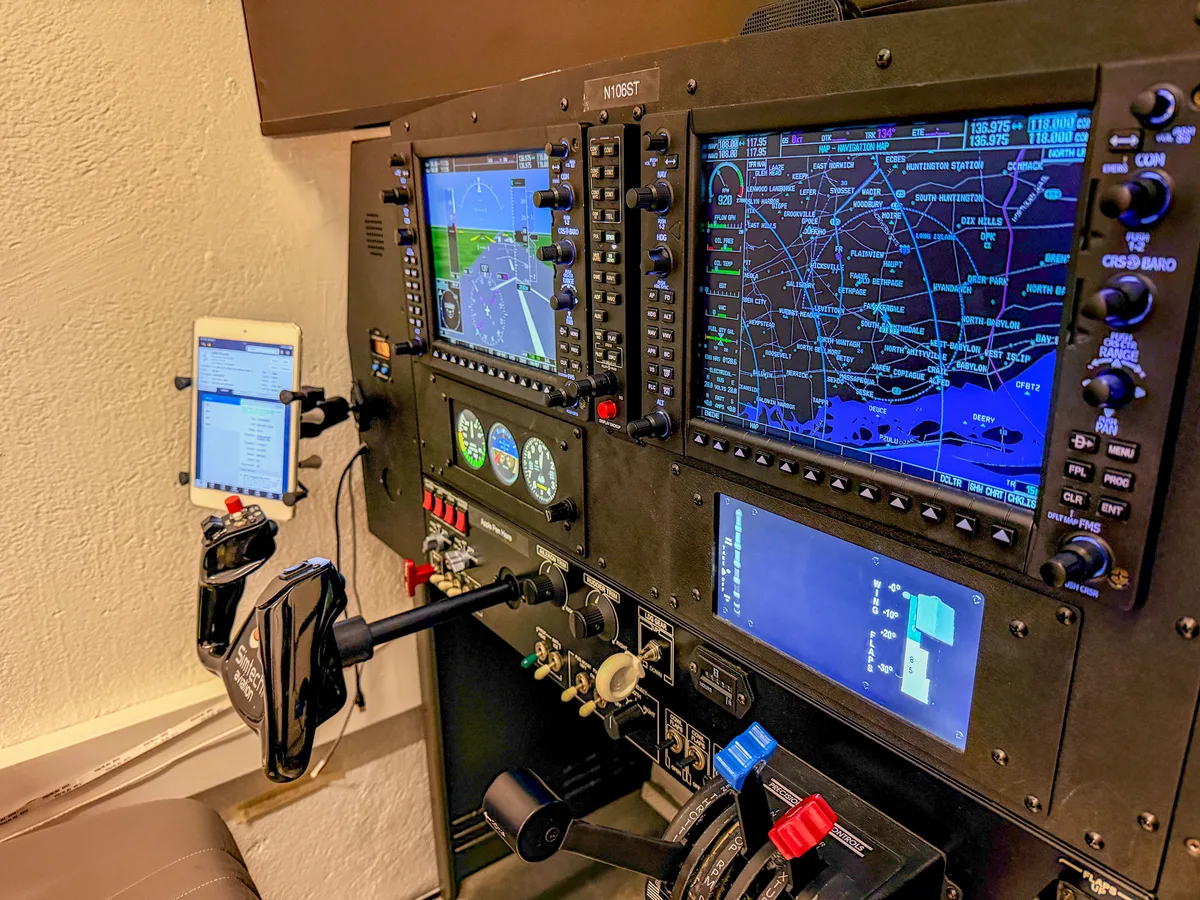
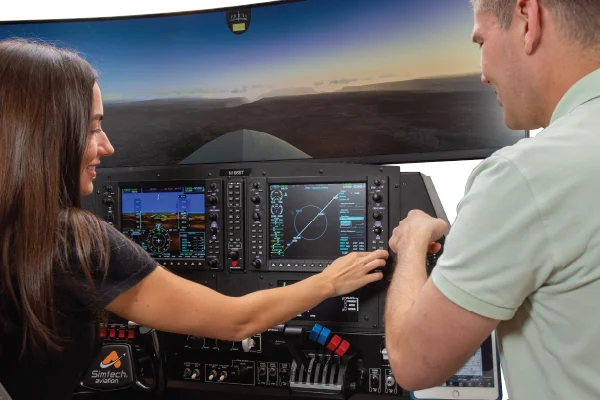
G1000 NXi avionics panel close-up showing PFD, MFD, standby instruments, and ForeFlight iPad at Aviator.NYC flight simulator in Manhattan
  • Our software: Garmin G1000 PC Trainer -- the actual Garmin application, not a lookalike
  • Other brands: Build their own software that visually resembles the G1000 but uses different FMS logic
  • Why it matters: Every G1000 feature -- VNAV, autopilot, procedure loading -- behaves exactly like the real airplane
  • Result: Training transfers directly because the software is the same

Real Garmin G1000 PC Trainer Software

  • Same software Garmin distributes for desktop G1000 training
  • FMS logic, menus, and button behavior identical to certificated aircraft
  • Other brands build custom software that looks like a G1000 but isn't

Authentic VNAV Logic

  • Advisory descents and VNAV target altitudes work as Garmin designed them
  • Vertical deviation indicators and descent path calculations are real
  • Behavior matches what pilots experience in G1000-equipped aircraft
Read: Mastering VNAV on the Garmin G1000

Real Garmin Navigation Database

  • Nav data comes from Garmin, not a third party
  • Procedures, waypoints, airways, and frequencies match real aircraft
  • Training transfers directly because the data is the same
Read: Garmin Worldwide Database Update

Worldwide Jeppesen Charts & Procedures

  • Terminal procedures, approach plates, SIDs, STARs for airports globally
  • Fly procedures in Spain, England, Dubai, Colombia, Mexico, and beyond
  • Not limited to US-only data like many training devices
Read: How to Brief a Jeppesen Approach Plate

Real-Time EFB Integration

  • Aircraft position syncs across G1000, iPad (ForeFlight/Garmin Pilot), and instructor monitor
  • Simulator outputs the same data a real aircraft would
  • Practice your actual EFB workflow, identical to flying

Full Approach Procedure Library

  • Load and fly ILS, RNAV/LPV, VOR, localizer, and NDB approaches
  • Procedure loading, activation, and course guidance use real Garmin logic
  • Practice exactly as you would in the airplane
Read: G1000 Approach Activation Methods

Dual G1000 Displays Working Together

Experience the full glass panel system -- PFD on the left, MFD on the right, working in perfect sync just like your aircraft.
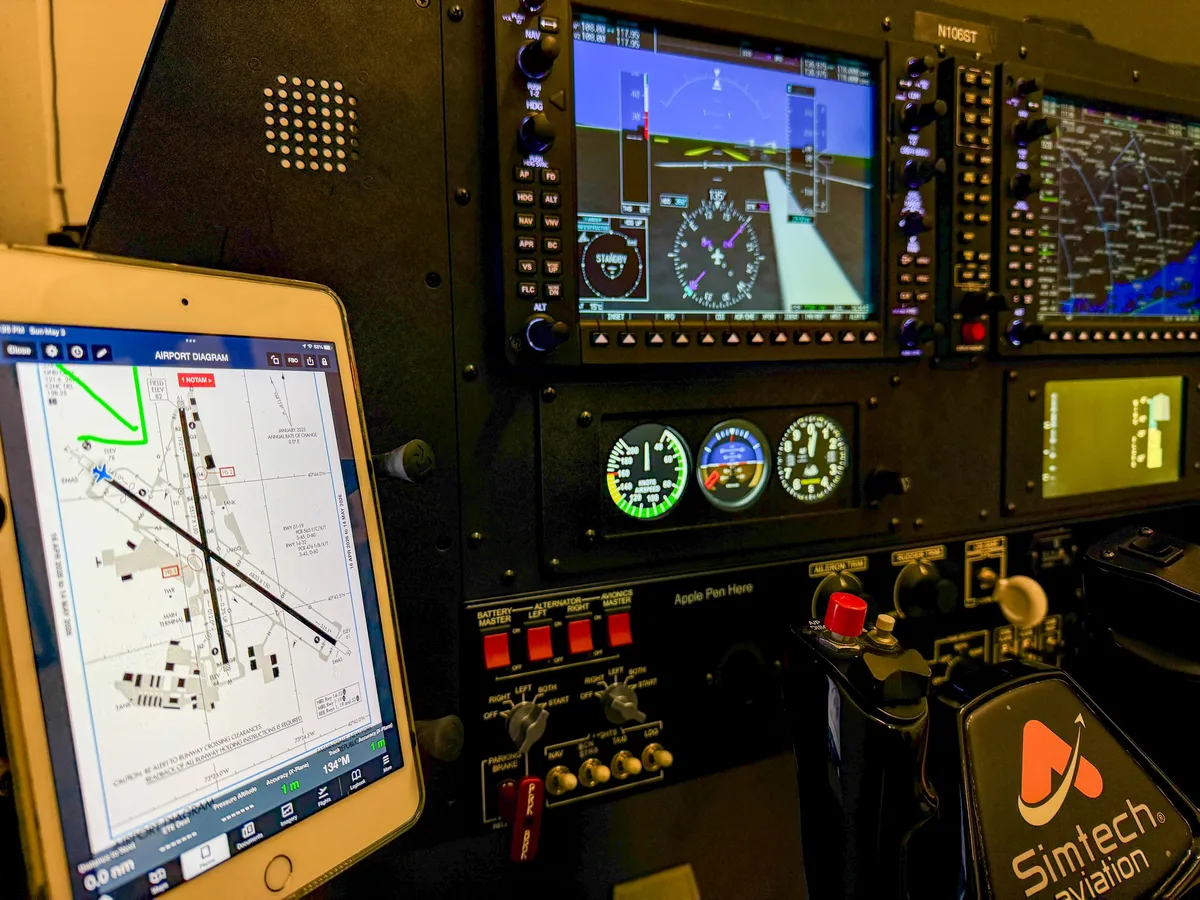
Primary Flight Display (PFD)Attitude, airspeed, altitude, heading
Multi-Function Display (MFD)Navigation, weather, traffic, systems
ForeFlight iPad EFB displaying airport diagram synchronized with G1000 NXi simulator at Aviator.NYC
iPad EFB IntegrationForeFlight syncs in real time with the G1000 -- just like in the airplane

What Makes This Simulator Different?

Professional-grade hardware and authentic Garmin software
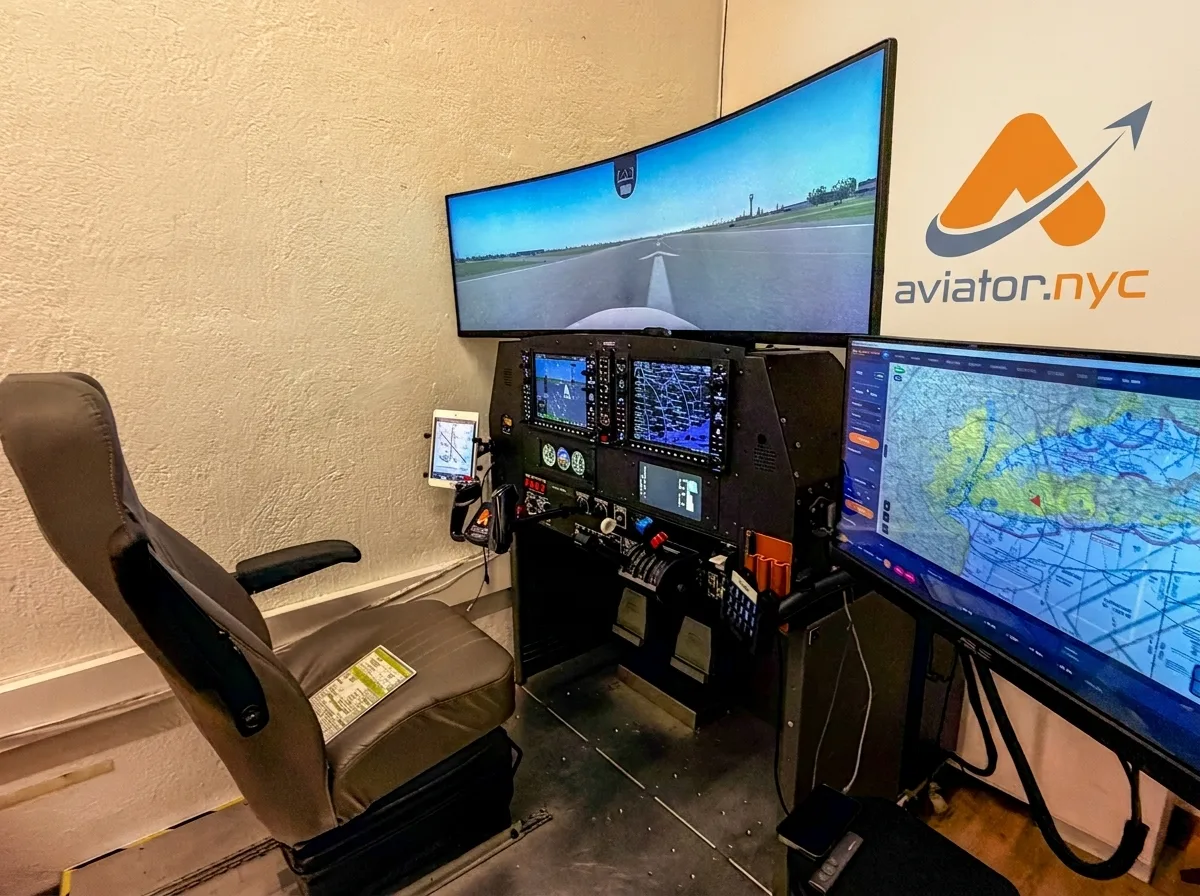
PFC GTX flight simulator pilot seat and training station with 49-inch curved display at Aviator.NYC Manhattan
G1000 NXi

Avionics

Garmin G1000 PC Trainer software -- production avionics, not a visual replica

GFC 700

Autopilot

Full autopilot with VNAV, flight director, approach coupling, and all automation modes

Dual 10.4"

Displays

PFD and MFD working in sync, identical to the aircraft panel

Worldwide

Navigation

Current Garmin + Jeppesen database, updated regularly, all airports globally

ForeFlight & Garmin Pilot

EFB Integration

Real-time position sync with your iPad, just like in the airplane

20+

Aircraft Types

Cessna 172 to King Air B200 -- each with authentic G1000 configuration

Professional

Controls

Yoke, rudder pedals, throttle quadrant, mixture, prop controls

49" 4K Curved

Visual Display

Single ultrawide curved screen for immersive outside visual reference

AATD

FAA Status

Advanced Aviation Training Device -- Letter of Authorization on file

PFC GTX

Platform

Precision Flight Controls GTX professional training platform

What Can the Simulator Do?

Every capability below uses real Garmin software and procedures

PFC GTX flight simulator pilot seat and training station with 49-inch curved display at Aviator.NYC Manhattan

Autopilot System

  • GFC 700 with flight director, HDG, NAV, APR, VS, FLC modes
  • VNAV advisory descents and vertical navigation
  • Autopilot couples with approaches -- same button logic as your aircraft

Global Navigation

  • Current worldwide navigation database from Garmin
  • Practice procedures at airports in Spain, England, Dubai, Colombia, Mexico
  • Up-to-date charts, waypoints, obstacles, and terrain

EFB Integration

  • Real-time sync with ForeFlight, Garmin Pilot, or Jeppesen on your iPad
  • Aircraft position updates simultaneously on G1000, iPad, and instructor monitor
  • Practice your actual EFB workflow

IFR Approaches

  • ILS, RNAV/LPV, VOR, localizer, and NDB approaches
  • Full procedure loading and activation using real Garmin logic
  • Practice missed approaches, holds, and course intercepts

Aircraft Control

  • Flaps, trim, power settings, and configuration changes
  • Checklists, standardized flows, and workload management
  • Practice from taxi to shutdown in a controlled environment

Flight Planning

  • Build flight plans on the G1000 -- route selection, airways, waypoints
  • Fuel calculations, weather analysis, and alternate planning
  • Real-world scenarios with actual Garmin navigation data

What Aircraft Can You Fly?

Over 20 aircraft configurations -- select your aircraft, and the simulator loads the G1000 software specific to that airframe

  • What changes? Each aircraft has its own G1000 configuration -- different engine instruments, system pages, and performance data specific to that airframe
  • How do you switch? Select the aircraft, adjust the throttle quadrant, and the G1000 boots with that aircraft's software -- just like powering up the real airplane
  • Why it matters: You train on the exact G1000 layout you'll fly, so the cockpit feels familiar before you get in the real aircraft
Single Engine Piston8 aircraft
AircraftAvionics
Cessna 172R / 172SG1000 NXi
Cessna 182T / T182TG1000 NXi
Cessna 206H / T206HG1000 NXi
Beechcraft Bonanza G36G1000 NXi
Piper ArcherG1000 NXi
Diamond DA40G1000 NXi
Cessna CorvalisG1000 NXi
Piper PA-46 MeridianG1000 (early)
Single Engine Turboprop2 aircraft
AircraftAvionics
Quest Kodiak 100G1000 NXi
Cessna Caravan 208BG1000 NXi
Multi-Engine Piston4 aircraft
AircraftAvionics
Beechcraft Baron G58G1000 NXi
Piper SeminoleG1000 NXi
Piper SenecaG1000 NXi
Diamond DA42G1000 NXi
Multi-Engine Turboprop1 aircraft
AircraftAvionics
King Air B200G1000 NXi

Who Trains in Our Simulator?

From first lesson to airline interview -- pilots at every stage use this simulator
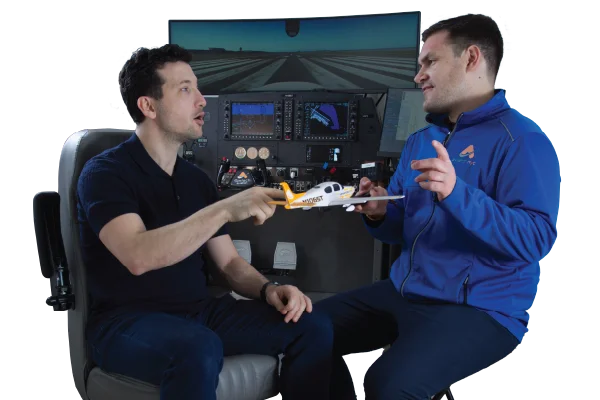
New Pilots & Young Aviators

New Pilots & Young Aviators

Start Your Aviation Journey

Build your foundation in modern glass cockpit flying before your first lesson. Perfect for student pilots and youth aviation programs.
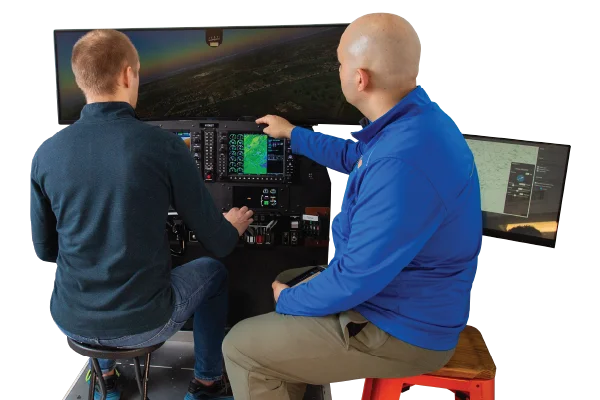
  • Learn G1000 basics risk-free
  • Practice procedures before flight
  • Save money on flight training
  • Youth programs ages 8-16
Start Training
Instrument Rating & Currency

Instrument Rating & Currency

Master IFR Flying

Earn 20 hours toward your instrument rating or stay current with 6 approaches, holds, and procedures—all in our FAA-certified AATD.

  • Log 20 hours toward rating
  • Practice approaches & holds
  • IPC preparation
  • Real GFC 700 autopilot
IFR Training
Airline Interview Prep & Jet Transition

Airline Interview Prep & Jet Transition

Get Sharp for the Next Step

Train in advanced aircraft like the King Air B200. Practice flows, automation, and decision-making for airline or corporate interviews.

  • King Air B200 training
  • Airline interview scenarios
  • Jet transition prep
  • Log 25 hrs toward ATP
Airline Prep
Fear of Flying & Pinch Hitter

Fear of Flying & Pinch Hitter

Specialized Training Programs

Overcome flight anxiety or learn emergency procedures as a non-pilot passenger. Safe, controlled environment with professional instructors.

  • Fear of flying therapy
  • Pinch hitter emergency training
  • Safe simulator environment
  • Professional guidance
Learn More

Plan Your Flight In Minutes

Pick a session, see the steps, and reserve instantly.

Fly With An Instructor

Starts at $130/hr

6hr bundle at $780 · Single lessons $190/hr

Solo Sim Time

Starts at $85/hr

REMOTEGround School & Coaching — From $90/hr on Zoom

Trusted by 500+ NYC pilots and students